
Why Your Playwright Tests Fail in CI (And Never Locally)
Why Your Playwright Tests Fail in CI (And Never Locally) CONCEPT
Section titled “Why Your Playwright Tests Fail in CI (And Never Locally) ”You run your tests locally — everything is green. You push to CI — three tests fail. You run CI again — different three tests fail. Sound familiar?
This isn’t bad luck. It’s a set of fixable architectural mistakes. In this guide I’ll walk you through the six rules that eliminated flakiness in our test suite. No magic, no “just increase the timeout” advice.
All code examples are simplified for clarity — focus on the idea, not the boilerplate.
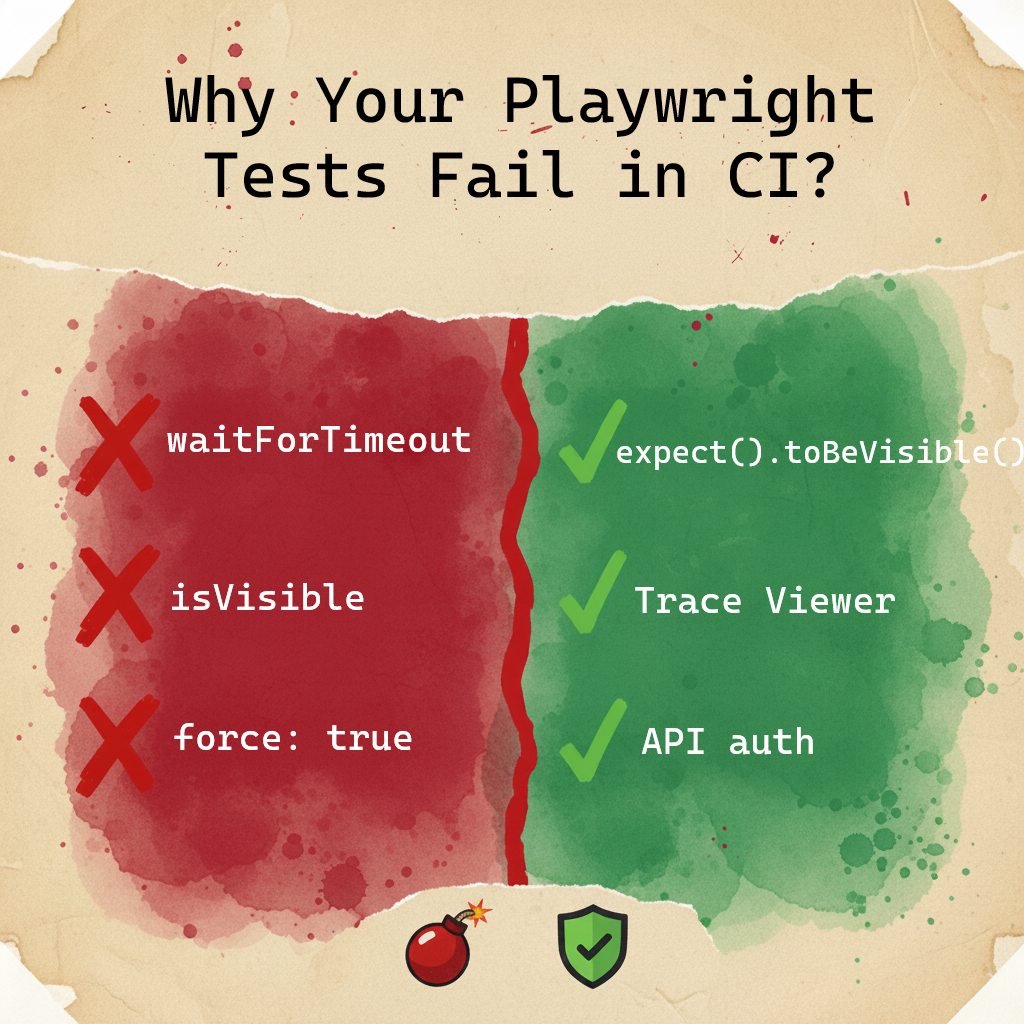
- Use Dependency Projects instead of
globalSetup— if the environment is down, stop immediately instead of running 1000 failing tests - Locator priority:
getByRole>getByLabel>getByTestId. CSS selectors — last resort only - Never use
isVisible()in assertions — it’s a snapshot. Use Web-first assertions that wait - Block analytics and tracking scripts with
page.route— they causenetworkidleto hang - Trace Viewer is your debugging tool. Screenshots show you what, traces show you why
- Always authenticate via API, not UI — 50ms vs 5 seconds, per test
Why CI breaks tests that pass locally
Section titled “Why CI breaks tests that pass locally”Your local machine is fast. CI is not. Less CPU, higher latency between services, multiple parallel processes all competing for resources. Asynchronous problems exist locally too — a powerful machine and fast network just hide them. When conditions get slightly worse, timings fall apart.
This is why “works on my machine” is such a common story in test automation.
Rule #1: Stop Running Tests in a Vacuum
Section titled “Rule #1: Stop Running Tests in a Vacuum”When your staging environment goes down at night, do you want to run 1000 tests just to get 1000 failures? Of course not. But that’s exactly what happens without a proper dependency chain.
The solution: Dependency Projects
Instead of one big globalSetup file, build a dependency graph in your Playwright config:
export default defineConfig({ projects: [ // Step 1: Authenticate and save session { name: 'auth-setup', testMatch: /.*\.auth\.setup\.ts/, }, // Step 2: Check if the environment is actually alive { name: 'healthcheck', testMatch: /.*\.health\.setup\.ts/, dependencies: ['auth-setup'], }, // Step 3: Only run real tests if steps 1 and 2 passed { name: 'chromium', use: { ...devices['Desktop Chrome'] }, dependencies: ['healthcheck'], }, ],});If auth fails or the environment is down — Playwright stops immediately. No wasted CI minutes, no flood of useless alerts.
Why not globalSetup?
globalSetup gives you dry logs when something fails. Dependency Projects give you full Trace Viewer support — you can see exactly what happened during setup: network requests, screenshots, console errors. And you can run just one project in isolation: npx playwright test --project=auth-setup.
Rule #2: Authenticate via API, Not UI
Section titled “Rule #2: Authenticate via API, Not UI”UI login is slow. A full page load with all assets and rendering takes 2–5 seconds. An API login call takes 50–100ms. At CI scale, this difference adds up fast.
More importantly: you shouldn’t be testing your login form 500 times. Test it once, in a dedicated test. For everything else, just reuse the session.
test('authenticate', async ({ request }) => {  // Direct API call — no browser rendering needed  await request.post('/api/login', {    data: { username: 'user@example.com', password: 'secret' },  });
  // Save cookies and storage state for all other tests  await request.storageState({ path: '.auth/user.json' });});
Then in your config:
use: { storageState: '.auth/user.json',}Every test now starts already authenticated. Zero UI login overhead.
Rule #3: Use the Right Locators — and Know Why
Section titled “Rule #3: Use the Right Locators — and Know Why”A locator isn’t just a way to find an element. It’s a statement about what your test actually cares about. The wrong locator makes tests brittle. The right locator makes failures meaningful.
Why getByRole is the default choice
getByRole finds elements by their semantic role in the accessibility tree — button, heading, link, dialog. This matters because role is tied to behavior, not implementation. A CSS class can be renamed, a DOM structure can be refactored — but if the element is still a button, getByRole still finds it.
One important nuance: getByRole often takes a { name: '...' } parameter to narrow down which element you mean. That name comes from the button’s text or aria-label. If you rely on visible text and the app is multilingual — that name changes per locale, and your locator breaks. The role survives translation. The name doesn’t.
There’s a bonus: if getByRole can’t find your element, it often means the element has no semantic role — which is an accessibility bug. Your test is catching a real problem.
// Finds the button regardless of CSS class or DOM structureawait page.getByRole('button', { name: 'Place order' }).click();Why getByLabel for form fields
getByLabel finds inputs by their associated label text. The label is a contract between the UI and the user — if it changes, that’s a UX change worth knowing about. This locator also catches cases where a field exists but has no label — another real bug.
await page.getByLabel('Email address').fill('user@example.com');When getByTestId is the right answer
getByTestId is stable but semantically blind — it finds the element regardless of its role, text, or visual state. That’s a feature in specific situations:
- Ant Design, Material UI, or other component libraries — these generate DOM structures where a single Select or Combobox contains multiple elements with the same role: a hidden native input, a trigger button, a text field. getByRole(‘combobox’) picks the first one in DOM order, which is often not the one you need to interact with — and it can change between library versions
- Multi-language apps — button text changes per locale;
getByTestIddoesn’t care - A/B tests or personalization — the label varies per user variant
- Icon buttons without text — SVG icons with no
aria-label
// Stable regardless of language or variantawait page.getByTestId('checkout-button').click();The tradeoff: getByTestId passes even if the button is visually broken, hidden by styles, or inaccessible to screen readers. You’re trading semantic coverage for stability. That’s a conscious choice, not a default.
The decision algorithm
- Try
getByRolefirst — if the element has a semantic role, this is always better - If text is dynamic (translations, A/B) or the element has no stable role — ask your developer to add an
aria-label. Then usegetByRole(..., { name: 'aria-label value' }) - If that’s not possible — use
getByTestIdwithout guilt
// Both of these use getByRole — role is stableawait page.getByRole('button', { name: 'Place order' }).click();await expect(page.getByRole('heading')).toHaveText('Order confirmed');
// Both of these use getByTestId — text is dynamicawait page.getByTestId('checkout-button').click();await expect(page.getByTestId('order-status')).toHaveText('Confirmed');
Rule #4: Stop Using isVisible() in Assertions
Section titled “Rule #4: Stop Using isVisible() in Assertions”This is one of the most common sources of flakiness. Here’s why:
// This checks visibility at this exact millisecondconst isVisible = await page.getByRole('button').isVisible();expect(isVisible).toBeTruthy();If the page is still loading at that millisecond — the test fails. Not because something is broken, but because you asked too early.
Web-first assertions wait for you:
// This polls the DOM until the condition is true (or timeout)await expect(page.getByRole('button')).toBeVisible();The difference: expect(locator).toBeVisible() keeps checking every ~100ms until the element appears or the timeout is reached. It’s a built-in retry loop.
Quick reference:
| Instead of this | Use this |
|---|---|
await loc.isVisible() | await expect(loc).toBeVisible() |
await loc.textContent() === '...' | await expect(loc).toHaveText('...') |
await loc.count() | await expect(loc).toHaveCount(3) |
await loc.isChecked() | await expect(loc).toBeChecked() |
await loc.isEnabled() | await expect(loc).toBeEnabled() |
One exception:
isVisible()is fine inside conditional logic — for example, to decide whether to close a cookie banner before continuing. Just don’t use it as a final assertion.
Rule #5: waitForTimeout is not a solution — here’s what to use instead
Section titled “Rule #5: waitForTimeout is not a solution — here’s what to use instead”If you feel the urge to add waitForTimeout — stop. In 95% of cases there’s a better tool. The question is which one.
Use web-first assertions (toBeVisible, toHaveText, toHaveURL, etc.) when:
- An element appears or disappears after a click
- The URL changes after navigation
- Text updates after data loads
- A form shows a validation error
- Anything that is visible in the UI
This covers the vast majority of cases. Web-first assertions have built-in retry — you don’t need anything else.
// Built-in retry — no polling neededawait expect(page.getByText('Order confirmed')).toBeVisible();await expect(page).toHaveURL('/dashboard');Use expect.poll when:
- A background job updated order status in the DB, and the UI only shows a spinner
- A payment webhook arrived from Stripe or PayPal and updated the payment status
- A message was processed from a queue (Kafka, RabbitMQ) by another service
The common pattern: you clicked something, the UI shows nothing useful (or just a spinner), but something should have happened behind the scenes. You can only verify it via a direct API call.
// Background job updated order status — not visible in UIawait expect .poll( async () => { const response = await request.get(`/api/orders/${orderId}`); const order = await response.json(); return order.status; }, { message: 'Waiting for order status to become PAID', timeout: 30_000, }, ) .toBe('PAID');Use expect.toPass when:
- You need to click a button repeatedly until the UI shows the expected result
- An action needs to be repeated until a condition is met
// Click Refresh until status appears in UIawait expect(async () => { await page.getByRole('button', { name: 'Refresh' }).click(); await expect(page.getByText('Status: Ready')).toBeVisible();}).toPass({ intervals: [1_000, 2_000, 5_000], timeout: 15_000,});Warning: If you find yourself writing
expect.pollmore than once or twice per test file — stop and reconsider. Either the UI is missing proper loading indicators, or the architecture needs rethinking.expect.pollis a last resort, not a default tool.
Rule #6: Block Analytics and Tracking Scripts
Section titled “Rule #6: Block Analytics and Tracking Scripts”Your app loads Google Analytics, a support chat widget, maybe a heatmap tool. These services are slow, sometimes unreliable, and completely irrelevant to what you’re testing. They also interfere with networkidle waits.
Block them:
// In your fixture or beforeEachawait page.route(/google-analytics\.com|intercom\.io|hotjar\.com/, (route) => { // Use fulfill instead of abort so the app doesn't hang waiting for a response route.fulfill({ status: 200, body: 'ok' });});Watch out for fonts: Blocking external fonts can cause layout shifts, which may trigger Playwright’s stability checks and slow things down. Either allow fonts through or make sure your app handles missing fonts gracefully.
Rule #7: Use Trace Viewer, Not Screenshots
Section titled “Rule #7: Use Trace Viewer, Not Screenshots”When a test fails in CI, a screenshot shows you what the page looked like. Trace Viewer shows you why it failed.
A screenshot: a frozen image of a page that looks fine.
Trace Viewer: every action, every network request, every console error, the DOM state before and after each step — all in a timeline you can scrub through.
Enable it in your config:
use: { // Only save traces when tests fail — keeps your artifacts small trace: 'retain-on-failure', screenshot: 'only-on-failure',}What to look for in Trace Viewer:
- Actionability tab: If a click didn’t work, this tells you exactly which element was blocking it (a loading skeleton, an overlay, a tooltip)
- Network tab: See which API calls were slow or failed
- Console tab: See JavaScript errors that don’t show up in your test output
- Snapshots: The actual DOM state at each step — you can open DevTools on a past moment in time
When a test fails because a button was “covered by another element” — Trace Viewer shows you the exact element, with a red dot on the snapshot. No guessing required.
Hydration: Why Clicks Sometimes Do Nothing
Section titled “Hydration: Why Clicks Sometimes Do Nothing”If you work with React, Next.js, Vue, or Nuxt — you’ve probably seen this: Playwright clicks a button, no error is thrown, but nothing happens.
This is hydration. The server sends HTML that looks like a working page, but the JavaScript hasn’t loaded yet. The button exists in the DOM but has no event listeners. Playwright clicks it, the click lands, and nothing responds.
The fix: Wait for a signal that the app is ready before interacting:
// Wait for a loading indicator to disappearawait expect(page.locator('#global-loader')).toBeHidden();
// Or wait for a class that your app adds when hydration is completeawait page.waitForSelector('.app-ready', { state: 'attached' });
About force: true:
You might be tempted to use force: true to bypass Playwright’s checks. Before you do, understand what you’re skipping. Playwright’s actionability checks verify that an element is:
- Visible — not hidden by CSS or outside the viewport
- Stable — not moving (animations, transitions)
- Enabled — not disabled or read-only
- Receiving events — not covered by another element like a modal or overlay
When you add force: true, all four checks are disabled. You’re no longer testing what a real user experiences — you’re manipulating the DOM directly. The test passes, the user is still stuck.
There is one legitimate exception: hidden file inputs (<input type="file">). Browsers render this element as a native, hard-to-style button. Developers often intentionally hide it (make it invisible) and draw a custom button on top, consistent with the rest of the design. In such cases, Playwright cannot interact with the hidden element without force: true.
// force: true required — file input is visually hidden by design,// replaced by a styled button that triggers itawait page.locator('input[type="file"]').setInputFiles('file.pdf', { force: true });For everything else — find the root cause. If an element is covered, wait for the overlay to disappear. If it’s disabled, wait for the enabled state. force: true without a comment is a red flag in code review.
ESLint: Let the Robot Enforce the Rules
Section titled “ESLint: Let the Robot Enforce the Rules”Don’t explain these rules in every code review. Automate it:
module.exports = { extends: ['plugin:playwright/recommended'], rules: { 'playwright/no-wait-for-timeout': 'error', // No sleeps 'playwright/no-focused-test': 'error', // No test.only in commits 'playwright/no-page-pause': 'error', // No page.pause() in commits 'playwright/prefer-web-first-assertions': 'warn', // Nudge toward better assertions 'playwright/no-force-option': 'warn', // Flag force: true usage },};error for things that definitely break your tests or CI. warn for architectural debt that’s worth addressing but not blocking.
One more thing: rules exist to be broken consciously. If you’re working with a component library that generates dynamic selectors you can’t control, // eslint-disable-next-line is sometimes the honest answer. The key word is consciously — disable the rule, write a comment explaining why, and move on. What you want to avoid is blanket disables that hide real problems.
Migration Cheat Sheet: Old Playwright vs Current
Section titled “Migration Cheat Sheet: Old Playwright vs Current”If you’re coming from Selenium or older Playwright patterns, here’s the direct translation:
| What you used to do | What to do now | Why |
|---|---|---|
page.$(), page.$$() | getByRole(), getByLabel(), getByTestId() | Lazy evaluation + automatic retry on assertions |
waitForSelector() | Not needed — built into actions | Playwright waits for actionability before every click/fill |
waitForTimeout(3000) | expect(loc).toBeVisible() | Polls until ready instead of guessing |
waitForNavigation() | await expect(page).toHaveURL('/dashboard') | toHaveURL has built-in polling, no race condition |
isVisible() in assertions | expect(loc).toBeVisible() | One is a snapshot, the other waits |
console.log('HERE') | Trace Viewer | Full timeline with network, DOM, console — in CI |
Flakiness Cheat Sheet
Section titled “Flakiness Cheat Sheet”| Symptom | Likely cause | Fix |
|---|---|---|
| Click lands, nothing happens | Hydration | Wait for app-ready signal |
| Timeout in CI, passes locally | Slow network / analytics | Block third-party scripts |
| Selector not found after deploy | Fragile CSS / text changed | Use data-testid or getByRole |
| Random failures, no pattern | Race condition in assertions | Switch to Web-first assertions |
| All tests fail at once | Environment down | Add healthcheck dependency |
What’s Next?
Section titled “What’s Next?”These six rules cover the most common sources of flakiness. Once you have them in place, the next level is async handling at scale — expect.poll, idempotency keys, contract testing, and data hygiene.
Want to go deeper into the architecture? Check out the advanced version of this guide: Playwright CI: What Senior Engineers Do Differently
All patterns in this article are implemented in the Playwright BDR Template on GitHub — clone it and see how everything fits together.